In some cases, after loading all cargoes required to be shipped through containers, there is remaining space to load other cargoes not strictly required to be shipped and their quantities are uncertain. An accurate number of these cargoes needed is far beyond human computation. But how does LoadMaster load planning software solve this tricky problem? Let’s check it out!
 This is a man disturbed by complex calculation.
For example, this is the order of a client. If there is remained space in containers after loading Cargo A, Cargo B and Cargo C, then Cargo D and Cargo E can be loaded to fill up the remaining space.
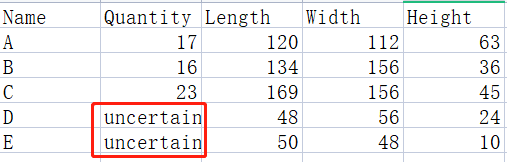 This is cargo data chart.
So how to calculate the accurate quantity of these two cargoes? First, set the “Urgency” of Cargo D and Cargo E as 1 in the Cargo Template.(When a batch of cargoes has been loaded and the remaining space can be filled with some other small cargoes, we can achieve it by setting the “Urgency” of the small/uncertain cargoes as “1”.) Next, set their quantity as a relatively large number such as 200 because the accurate number of these two cargoes need is uncertain.
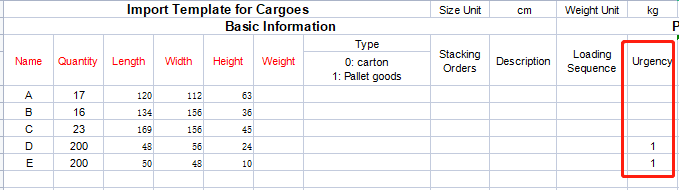 This is cargo dta import template.
Then click “Loading Plan”, and you can get an optimal load plan within 1 second. You can see the accurate quantity of Cargo D and Cargo E needed together with their placement positions in containers. What’s more, the load plan can also serve as a reference for factories to manufacture cargoes so that factories will not over-produce or under-produce. In this way, container space is made the best use of, which will not cause complaints from clients who have made the order.
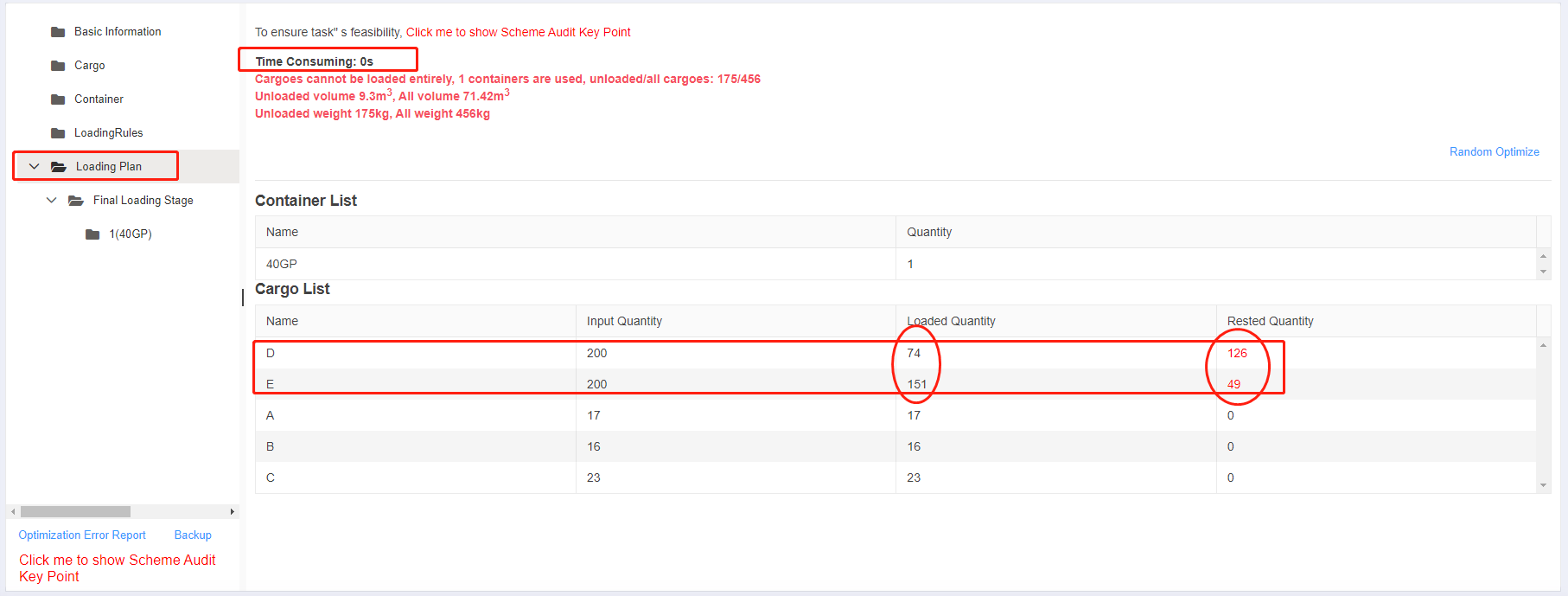 This is the result of loaded and unloaded quantity of unurgent cargo.
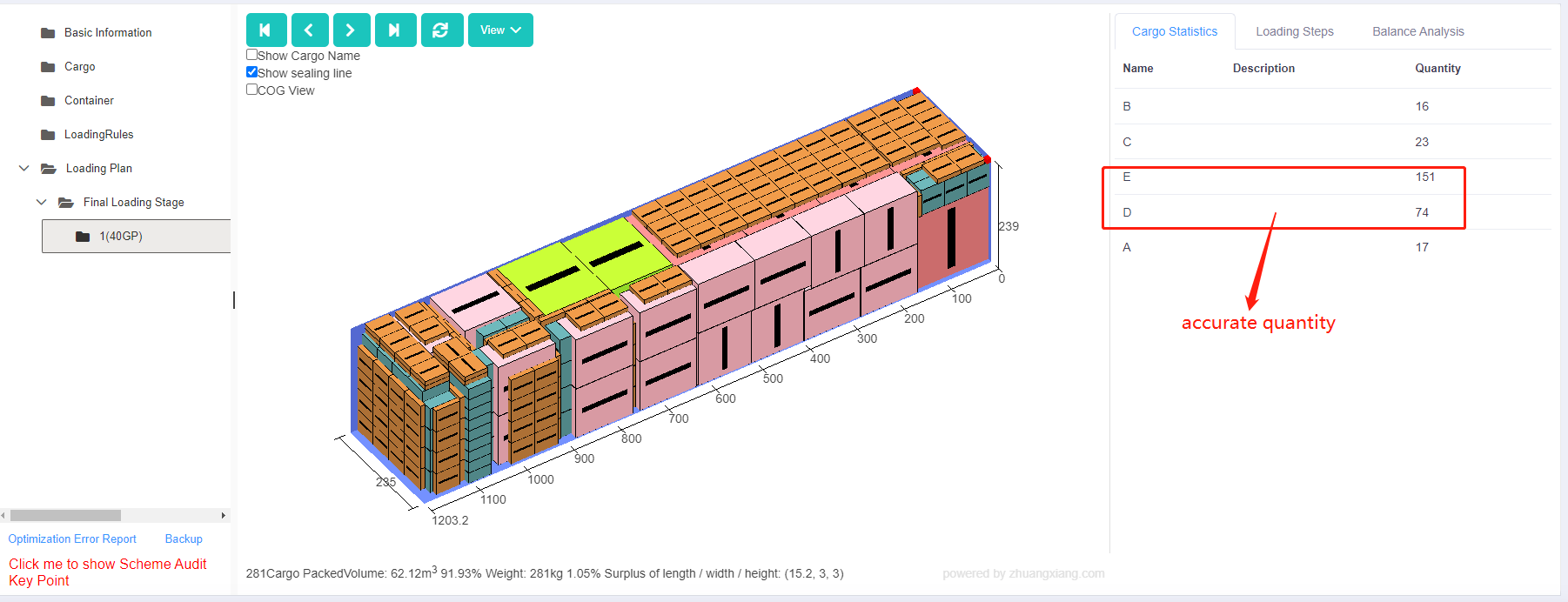 This is cargo statistics with accurate quantity.